

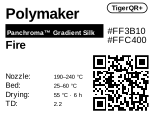
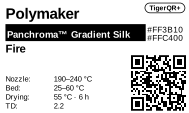
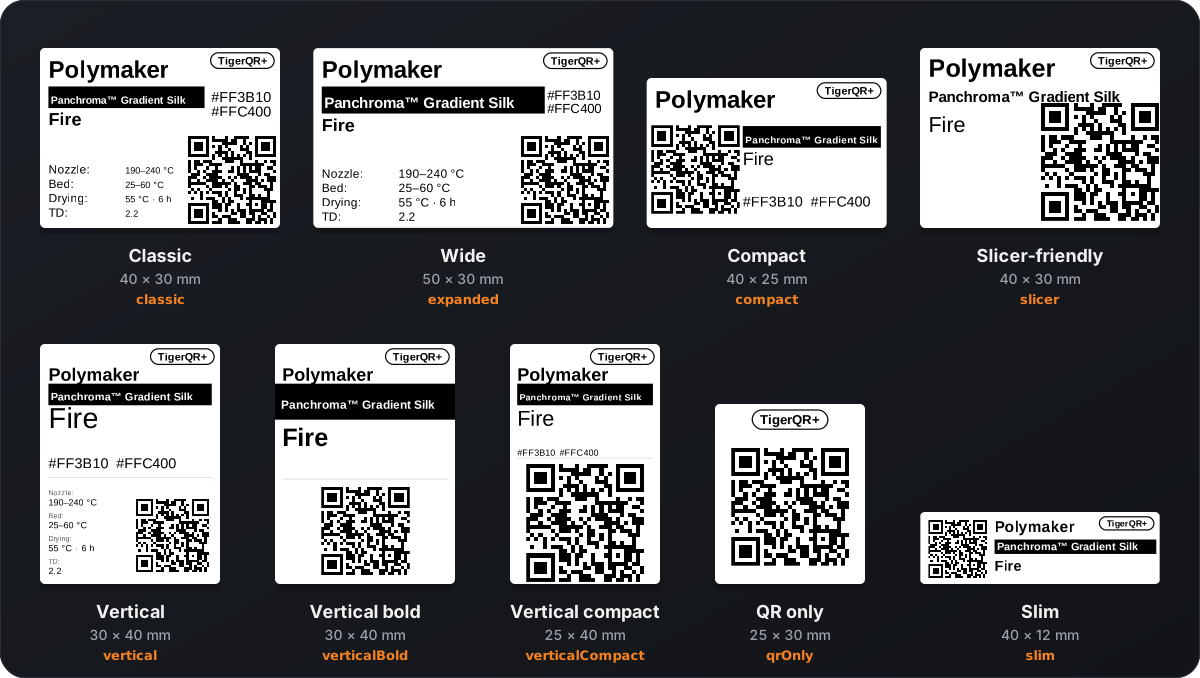
Classic 40 × 30 mm
classic · 4 value slots
Brand, bar, colour and hex, four slots, QR bottom right.
One sticker on a filament spool. One scan opens the right page, on any phone, with no app.
TigerQR+ is the label linked to a product of the TigerTag+ catalogue; TigerQR is the label that is not, the same logic as TigerTag and TigerTag+. This site is the public reference for what a label prints and what its qr.tigertag.io link means.
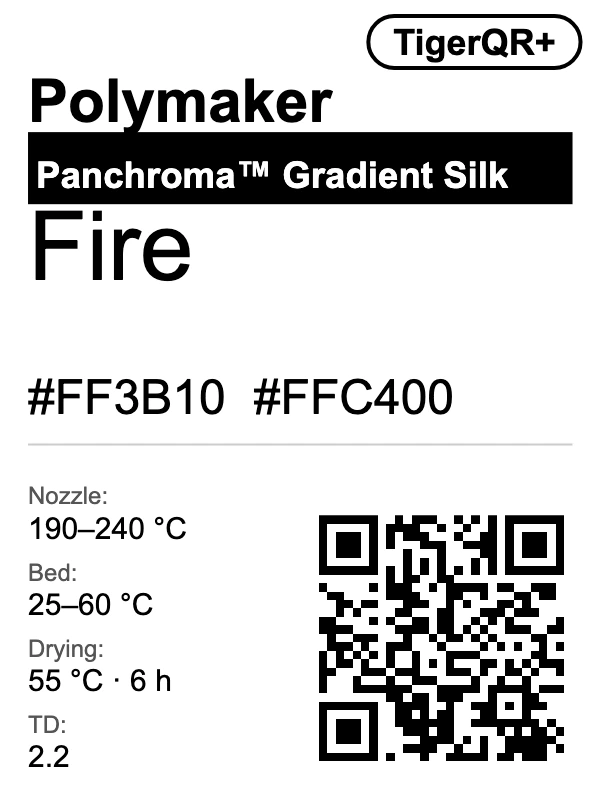
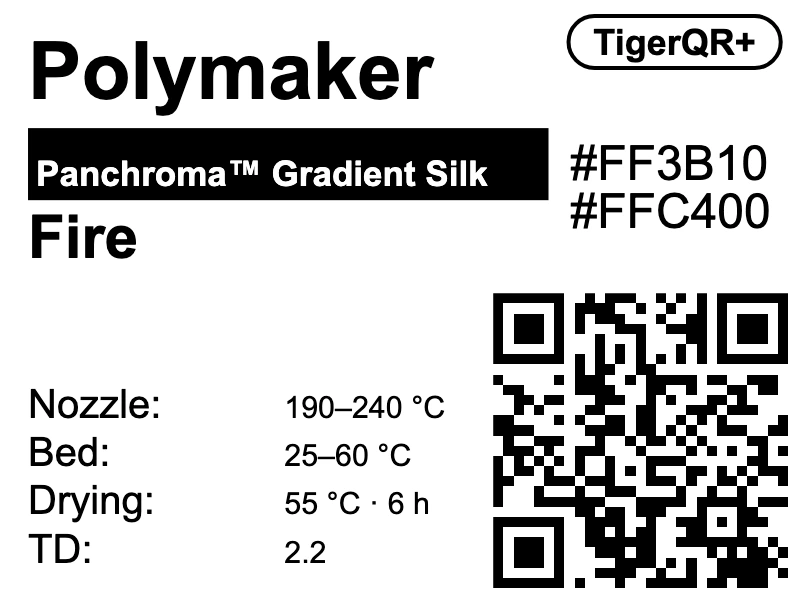
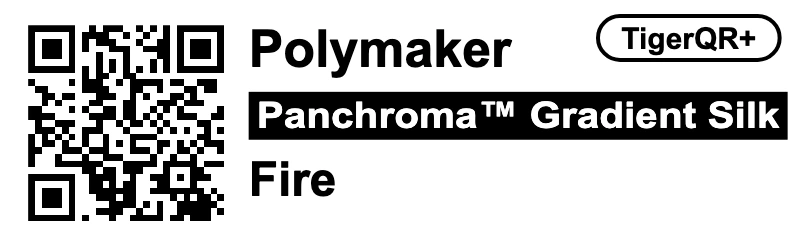
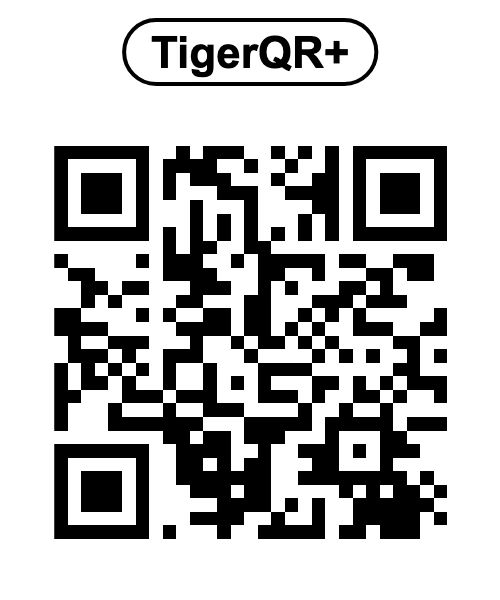
Every label points to https://qr.tigertag.io/. The path alone says what it is, so an app reads it offline, without the website. Links are printed lowercase and read in any case.
The chip's NFC UID in hex, 14 characters. The twin chip's UID opens the same spool.
The TigerData id without its TigerData_ prefix: 10 or 17 digits. The long form TigerData_6130922252 opens too.
The id_product in decimal, always 10 digits with leading zeros (p/0010303748). Labels printed with 8 hex characters (p/9f5e0644) still open.
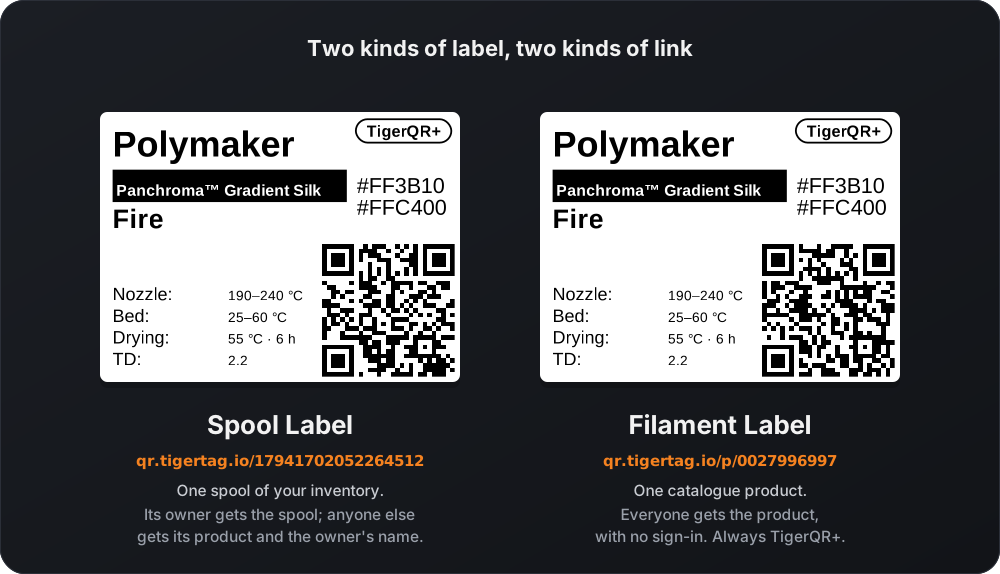
| Link | Its owner, signed in | Anyone else |
|---|---|---|
| Spool | the spool | the spool's catalogue product and the owner's display name, never the spool |
| Product | the catalogue product, for everyone, with no sign-in | |
The owner signs in to their TigerSystem account. A spool with no catalogue product shows a private page to anyone but its owner. The weight, the note and the rack never leave.
.json and .ttagAdd .json (the data) or .ttag (the file Tiger Studio imports) to any link to build your own interface:
p/2673739332.json,
p/2673739332.ttag.
?lang= picks the text language), cacheable, from any origin.Authorization: Bearer <ID token>); anyone else is sent (303) to the product's .json / .ttag, or gets a 404 without a product.{"error":"not-in-catalogue"} with status 404.A link shared from a Share button may start with the sharer's language: qr.tigertag.io/fr/p/2673739332. The page and its preview on social networks then open in that language for everyone, link-preview crawlers included. Without a prefix, the visitor's browser language decides; an unknown prefix answers 404.
The prefix is one of en fr de es it zh pt pt-pt pl ru nl. A reader handed a link drops one leading /<lang>/ first, then reads the rest, and never stores or prints it: a label made from a shared link carries the bare link, so a printed QR stays the same in every country.
The common spool-label sizes and layouts. Every app draws the same SVG, so a label printed from Tiger Studio or from tigersystem.io looks and scans the same. Every example below decodes to its link.
classic · 4 value slots
Brand, bar, colour and hex, four slots, QR bottom right.
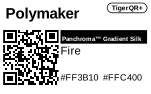
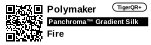
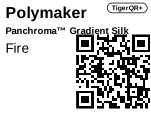
slicer · no value slot
Brand, series and colour stacked large, a big QR right.
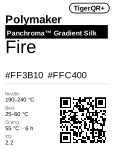
vertical · 4 value slots
Brand, bar, colour large, hex, a rule, slots stacked left, QR bottom right.
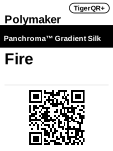
verticalBold · no value slot
Brand, full-width bar, colour, a rule, QR centred below.
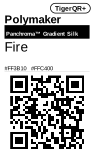
verticalCompact · no value slot
Brand, bar, colour, hex, a rule, a big QR below.
qrOnly · no value slot
The pill centred at the top over a 20 mm QR box, nothing else.
Two kinds of label, one set of formats. The pill in the corner says whether the label is linked to the catalogue.
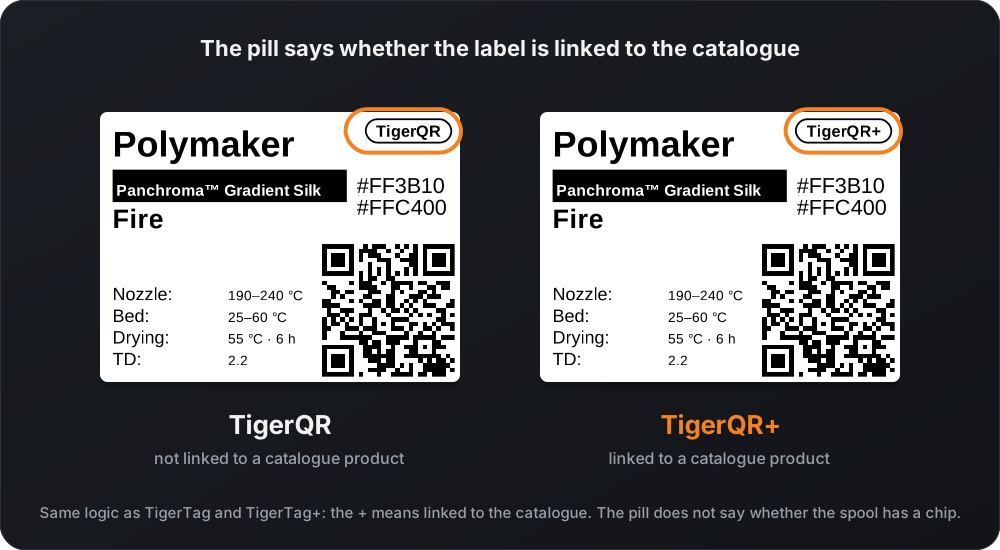
id_product) or a TigerTag+ chip; every Filament Label is TigerQR+. TigerQR otherwise, so a TigerTag chip with no product gives TigerQR. The pill does not say whether the spool has a chip.Only what does not change: never the remaining weight, the note, the rack or the owner. QR only prints the pill centred at the top over the QR, and nothing else.
The rules that make a label scan on every phone camera and print sharp on a thermal printer.
The whole link, lowercase, in one byte-mode segment with error correction level M (15 %): labels get scratched and folded. A lowercase scheme cannot use the alphanumeric mode, and splitting the link into segments saves nothing.
Every spool and product link fits a version 3 code, 29 × 29 modules. The label's white margins are its quiet zone.
Tested 2026-11-07: the iPhone camera opens a link in either case, but the Samsung camera (Galaxy S24) shows an uppercase HTTPS:// link as plain text and opens only a lowercase one.
Each module covers a whole number of dots: the nearest one that fills the QR box, rounded up when that stays within 6 % of the box, down otherwise. A PNG is drawn at exactly the label's size in dots, never resampled.
One SVG per label, sized in millimetres, laid out in tenths of a millimetre and scaled to printer dots at 203 or 300 dpi.
Texts never run over the QR or the pill: a long text shrinks first, then is narrowed. Tiger Studio and tigersystem.io draw the same SVG, byte for byte.
| Format | Id | Size | 203 dpi | 300 dpi |
|---|---|---|---|---|
| Classic | classic | 40 × 30 mm | 320 × 240 dots · 4 a module · QR 14.5 mm | 472 × 354 dots · 6 a module · QR 14.7 mm |
| Wide | expanded | 50 × 30 mm | 400 × 240 dots · 4 a module · QR 14.5 mm | 591 × 354 dots · 6 a module · QR 14.7 mm |
| Compact | compact | 40 × 25 mm | 320 × 200 dots · 4 a module · QR 14.5 mm | 472 × 295 dots · 6 a module · QR 14.7 mm |
| Slim | slim | 40 × 12 mm | 320 × 96 dots · 3 a module · QR 10.9 mm | 472 × 142 dots · 4 a module · QR 9.8 mm |
| Slicer-friendly | slicer | 40 × 30 mm | 320 × 240 dots · 5 a module · QR 18.1 mm | 472 × 354 dots · 8 a module · QR 19.6 mm |
| Vertical | vertical | 30 × 40 mm | 240 × 320 dots · 4 a module · QR 14.5 mm | 354 × 472 dots · 5 a module · QR 12.3 mm |
| Vertical bold | verticalBold | 30 × 40 mm | 240 × 320 dots · 4 a module · QR 14.5 mm | 354 × 472 dots · 6 a module · QR 14.7 mm |
| Vertical compact | verticalCompact | 25 × 40 mm | 200 × 320 dots · 5 a module · QR 18.1 mm | 295 × 472 dots · 8 a module · QR 19.6 mm |
| QR only | qrOnly | 25 × 30 mm | 200 × 240 dots · 5 a module · QR 18.1 mm | 295 × 354 dots · 8 a module · QR 19.6 mm |
Label size in dots, dots per module and the QR's printed side, for a 29 × 29 code.
The order a reader follows, as splitLangPrefix and parseQrPath in src/parse.ts do it.
A shared link's leading /<lang>/, in any case.
Percent-decode, drop leading and trailing /; an empty path is the root.
One .json or .ttag, any case; else a page.
p/ + 8 hex: the hex value (8 digits: the decimal reading is tried when the hex one is not in the catalogue).
p/ + 1 to 10 digits: the decimal value; above 4294967295 is unknown.
10 or 17 digits, then 14 hex, then 13 hex starting with 4 (a leading 0 put back), then tigerdata_ / tigerdata- + digits.
A label from a newer version: say "update the app" instead of failing.
| Path | Names |
|---|---|
p/<8 hex> | a product, older labels |
p/<1 to 10 digits> | a product, printed on 10 digits |
p/0, p/00000000, p/ffffffff, p/4294967295 | "no product", never printed, 404 |
<14 hex> | a spool with a chip, id: the UID uppercase |
<13 hex starting with 4> | a chip UID that lost its leading 0 |
<10 digits>, <17 digits> | a spool without a chip, id: TigerData_<digits> |
tigerdata_<digits>, tigerdata-<digits> | the same, long form |
| anything else | unknown: "update the app" (404) |
A chip UID has 14 characters and a TigerData id 10 or 17 digits, so an all-digit UID is never read as a TigerData id. A product link always starts with p/, so it never collides with a spool.
Both tools run the reference code of src/, the code qr.tigertag.io runs, in your browser. The QR is drawn the way a label draws it: one byte segment, ECC M.
Any catalogue product's label, from its id alone, drawn by tigersystem.io with the same renderer as Tiger Studio. No key, no sign-in.
GET https://tigersystem.io/api/public/v1/label/<id>.svg?template=<format>&dpi=<203|300>
GET https://tigersystem.io/api/public/v1/label/<id>.json
GET https://tigersystem.io/api/public/v1/label/<id>.html.svg: the label, sized in millimetres; template is a format id (classic by default), dpi 203 or 300, unit=dots sizes it in printer dots (a PNG's source), lang picks the language of the slot words..json: what the label prints, its QR link, its catalogue page and the SVG URL of every format..html: a widget to frame on any site (theme=light|dark), documented on tigersystem.io/en/embed.
The reference code is published as is from qr.tigertag.io, with no dependency. Implementing these links and labels needs no licence and no payment.
import { parseQrPath, splitLangPrefix } from "./src/parse";
import { productLink, spoolLink, qrLinkFrom } from "./src/links";

const { lang, path } = splitLangPrefix("/fr/p/2673739332");
parseQrPath(path);
// { kind: "product", idProduct: 2673739332,
//   hex: "9f5e0644", format: "page" }

productLink(10303748);
// "https://qr.tigertag.io/p/0010303748"
spoolLink("TigerData_6130922252");
// "https://qr.tigertag.io/6130922252"
qrLinkFrom("chip", "1D:33:DB:DA:0D:10:80");
// { kind: "chip", link: "https://qr.tigertag.io/1d33dbda0d1080" }test-vectors/links.json lists every link shape with the exact answer: read (a path and what it names), lang (the language prefix), build (an id typed for a kind and the printed link), spoolLink, productLink and sharedLink.
git clone https://github.com/TigerTag-Project/TigerQR-Label
cd TigerQR-Label
node tools/check.mjs   # Node 22.13 or later
A reader in another language passes when it gives every expect of the read and lang sections.
The TigerQR Playground draws any catalogue product's TigerQR+ label in every format, as PNG at 203 or 300 dpi and as SVG.


