Tiger Touch for Snapmaker 3D printers
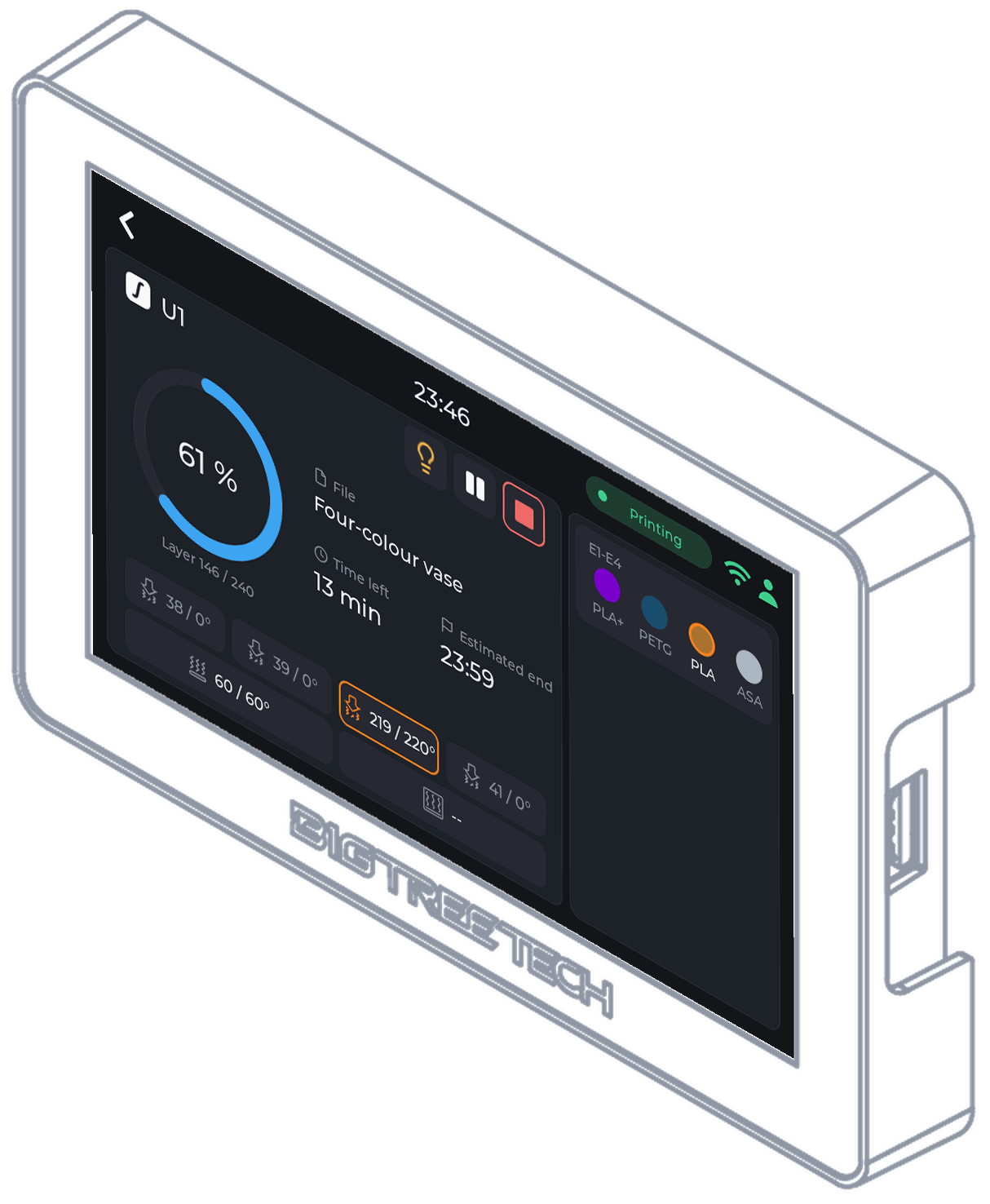
Tiger Touch turns a BIGTREETECH Panda Touch or K-Touch into a live screen for your Snapmaker U1: its four tool heads, the one at work ringed, progress and temperatures.
- Models
- U1
- Connection
- Moonraker's WebSocket on your local network (port 7125), with the U1's own filament data.
- Tested
- Seen on a real U1, idle: state, the four nozzles with the active one ringed, the bed.
Install Tiger Touch from your browser Source on GitHub
Want the original firmware back one day? It can be reinstalled at any time: how to go back
You dreamed of it. The TigerSquad built it.
Tiger Touch, Tiger Studio, TigerScale, TigerSpool, TigerPOD: free tools made by a community of makers, for every brand of printer.
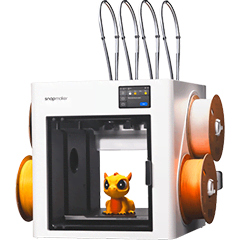 U1
U1
What you need
- A BIGTREETECH Panda Touch or K-Touch, the 5-inch touchscreen, sold separately: maybe the one already in your drawer. The K-Touch is the same board with another BIGTREETECH firmware: Tiger Touch replaces either.
- For the first installation only: Chrome or Edge on a computer and a USB-C data cable. Nothing stays plugged in afterwards.
- Your printer on the same Wi-Fi network as the screen (or its maker's cloud, where the page above says so).
- A free TigerSystem account, with the printer added in Tiger Studio Manager, the desktop app (Windows, macOS, Linux).
What the screen shows for a Snapmaker 3D printer
- Progress, layers, time left and the file being printed
- All four tool heads with their temperatures, the active one ringed
- Each head's spool with material and colour
Pause, stop and the light
Pause, resume and stop through Moonraker; stop asks for a confirmation first. The cavity light switches from the screen.
Set it up in three steps
- Add the U1 in Tiger Studio Manager (desktop app): it finds it on your network.
- Flash Tiger Touch, sign in with the same TigerSystem account.
- Switch the printer on in Settings > Printers.
Tip. The U1 runs Klipper, but keeps a driver of its own on Tiger Touch for its filament data.
Snapmaker questions
Does it show the four heads of the U1?
Yes: four tiles with their temperatures, the head at work ringed, and each head's spool.
Does it need the Snapmaker cloud?
No. It talks to the printer on your local network.
Was it tried on a real U1?
Yes, idle: state, the four nozzles and the bed. A print has not been followed yet.
The same screen, every brand
Tiger Touch follows every printer of your TigerSystem account on one screen, whatever the brand, each through its maker's own connection:
- Bambu Lab Bambu cloud or LAN mode, every AMS slot, the light
- Creality On your network, the CFS, the light, pause and stop
- Elegoo Centauri Carbon 1 and 2 on your network, the Canvas
- Anycubic Anycubic cloud or your network, every ACE slot
- FlashForge On your network, the AD5X material station
- Prusa PrusaLink on your network: progress and temperatures
- Klipper Moonraker: Voron, Qidi, Sovol, AFC and Happy Hare
- OctoPrint Any Marlin printer behind OctoPrint
What Tiger Touch is
A free, open-source firmware that turns the BIGTREETECH Panda Touch or K-Touch, a 5-inch touchscreen made for Bambu Lab, into one live screen for all your 3D printers. No computer left on and no bridge: it signs in to your TigerSystem account, reads your printers from it and talks to each one directly.
Built around makers, not around a brand
Printer makers build their software around their own machines: their apps, their clouds and their screens are designed to keep you with their printers. TigerSystem starts from the other end: you. Whatever printers you own, whatever their brand, whatever computer or phone you use, our tools adapt to the way you work, not the other way round. A Snapmaker printer today, another brand tomorrow: the same screen follows both.
Every brand on one screen
Bambu Lab, Creality, Elegoo, Anycubic, Snapmaker, FlashForge, Prusa, Klipper and OctoPrint, up to ten printers live at once.
Nothing to type
Your printers come from your TigerSystem account, with their addresses and access codes, as Tiger Studio Manager added them.
Install from your browser
Plug the screen in, press Install in Chrome or Edge: a few minutes, no tools, no soldering.
Updates over Wi-Fi
The screen finds new versions by itself and asks; each one is checked before it is used.
Live view in Tiger Studio
Tiger Studio Manager shows the screen live, touches it and takes screenshots for a bug report or a post.
Free and open source
MIT licence, no subscription, eleven languages, made by the TigerSquad community.
The rest of the TigerSystem family
Tiger Touch is one of TigerSystem's free tools. The others share the same account, the same spools and the same printers:
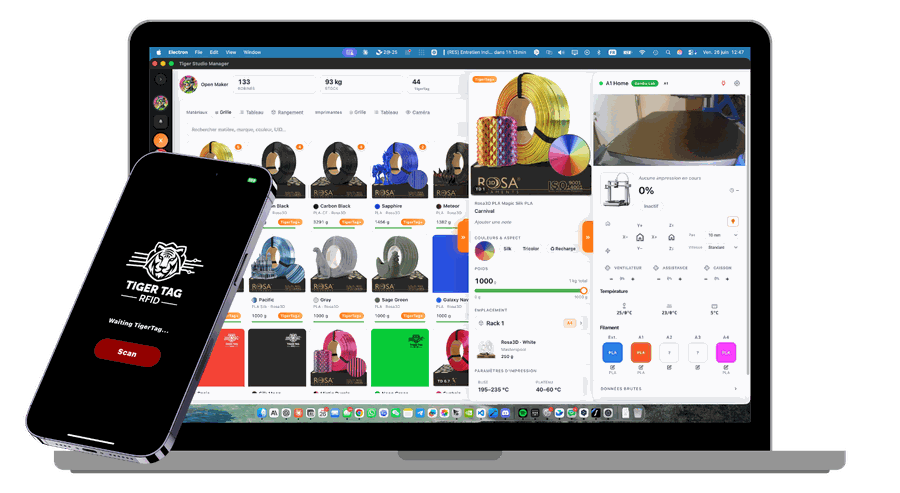
Tiger Studio Manager
Mission control for your filament and your printers, on Windows, macOS and Linux. Start here: your account and your printers are set up there.
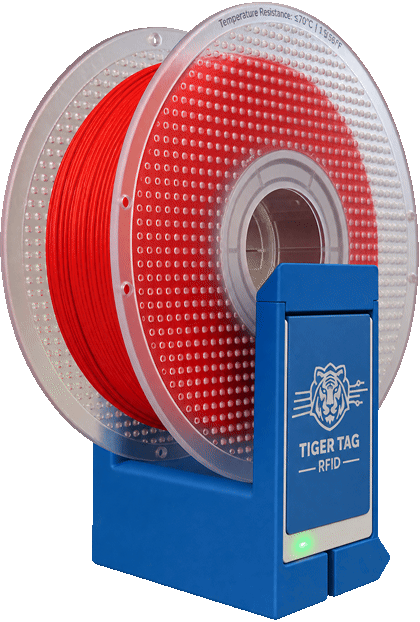
TigerPOD Mini
A spool scanner for your desk that you print yourself: put a spool down and it opens in Tiger Studio.
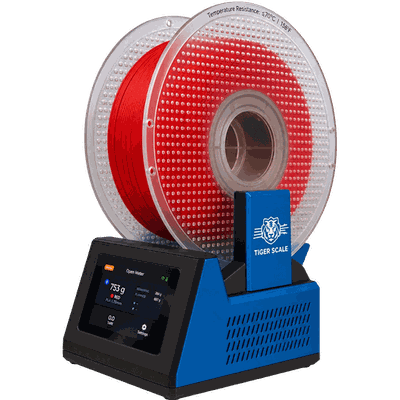
TigerScale V3
An open-source scale: the chip says what the spool is, the load cell how many grams are left.
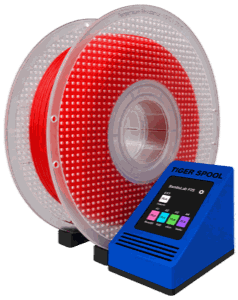
TigerSpool
A small box beside the printer: hold a spool against it and the filament is written into the printer's slot.